iamar

A browser for
3D worlds

Worlds you can walk into, people you can meet. iamar opens 3D worlds the way a web browser opens pages, and the people you pass are real players, connected straight to you.

Build and host your own world by talking to your AI agent, and it appears in iamar. Every world is a star, we teach you to weave them.

Download for Windows Download for Mac Download for Linux

Windows 10/11, macOS 11 and later, Linux x86_64. Free, v0.5.1 test build. Comes with iamar city, a walled city you can walk into right away.

First launch

Windows: the installer needs no admin rights. If SmartScreen warns, choose More info, then Run anyway.

Mac: unzip, drag Oakhaven.app to Applications. The app is not notarized yet: right-click it, choose Open, then Open again (macOS 15: System Settings, Privacy & Security, Open Anyway).

Linux: make the AppImage executable (chmod +x) and double-click it. It needs OpenGL 3.3, which every current desktop distribution includes. If it does not start, install the graphics libraries (Ubuntu, Debian, Mint: sudo apt install libgl1 libegl1; Fedora: sudo dnf install mesa-libGL mesa-libEGL), and in a virtual machine turn on 3D acceleration.

What it is

A program for visiting worlds, the way a web browser visits pages

iamar is a desktop program. You open it, pick an avatar, and you are standing in a world. An address bar at the top takes iamar:// names: iamar://chieh is someone's main world, iamar://chieh/garden one of several they host.

It is native, built on Godot, because polygon counts keep climbing and a web page will not keep up. Owning the client means owning its speed, its security and its features.

Worlds themselves are engine-independent: glTF assets, a data-only scene, and sandboxed scripts that only see iamar's world API. If a better engine turns up, every world keeps working.
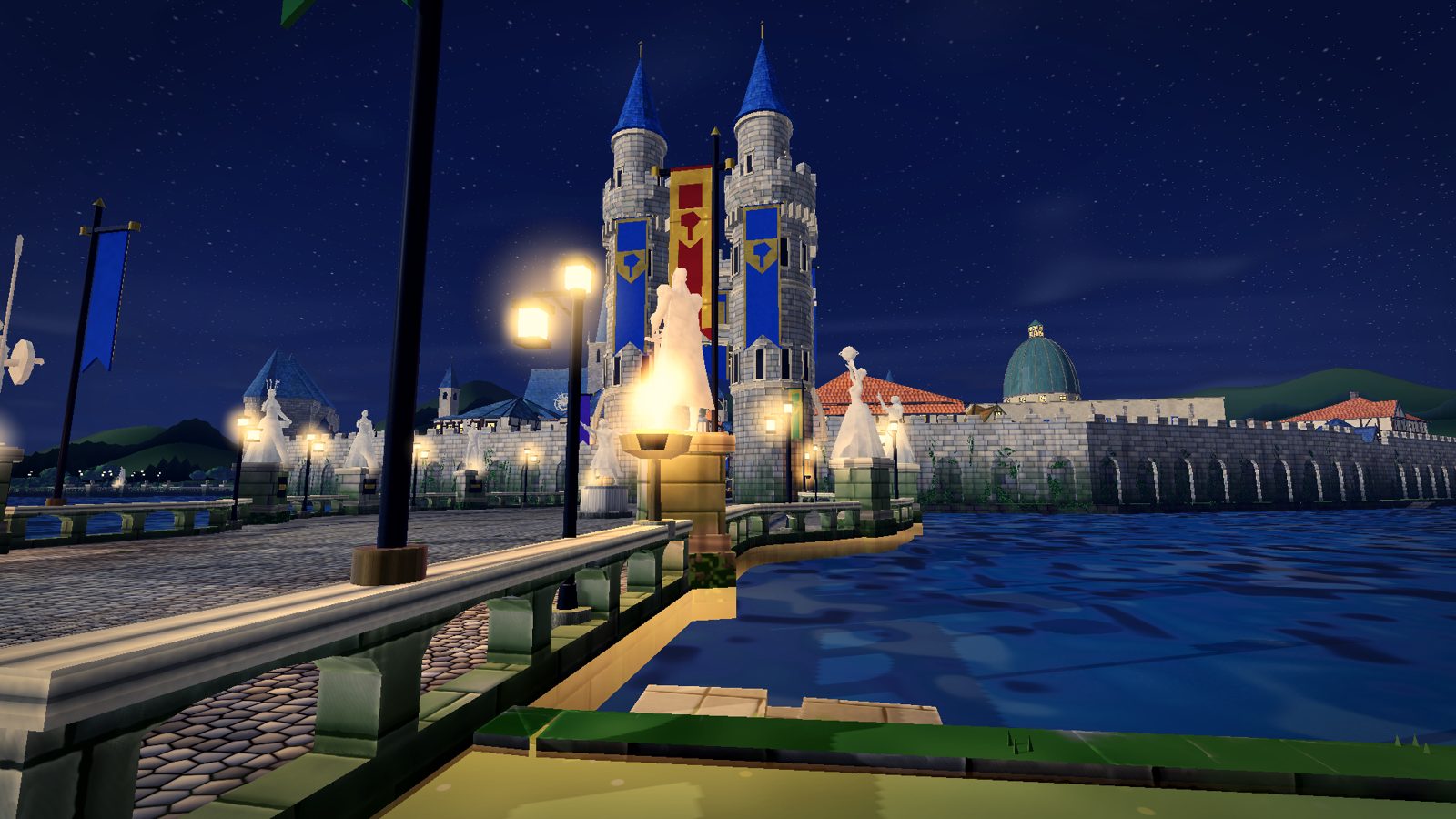
The South Gate bridge of iamar city at night: lamp posts over the moat, a flame brazier, and the twin gate towers with blue conical roofs and banners
The South Gate bridge into iamar city after dark. Type an address, and this is where you arrive.
Included world

iamar city comes in the box

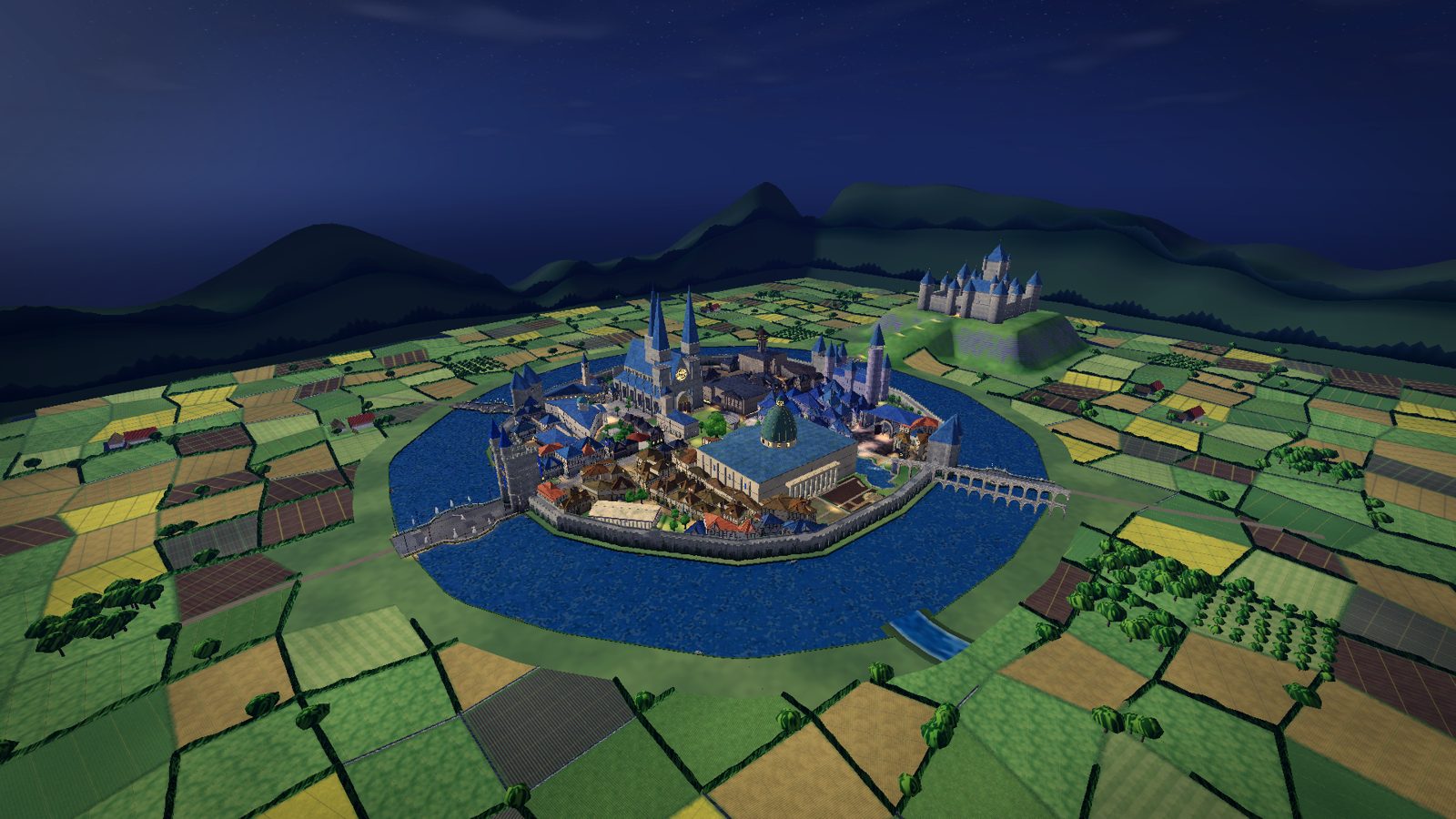
A walled city on an island in a wide moat, four gate bridges in, a castle on the hill behind. King's Way runs from the South Gate up to Grand Court past the cathedral, the library on its pond, City Hall and the market squares. Three quarters have their own look: the Warriors' Quarter of forges and steel, the Mages' Quarter with its floating lanterns and the Starweave School of Magecraft, and the warm Herbalists' Quarter. Townsfolk hand out quests, the day turns to night, and anyone else who is there can talk to you by text or voice.

Aerial view of iamar city at night: the walled city on its island in a wide moat, lit windows, fields all round and the castle on the hill behind
The whole city on its island, after dark.
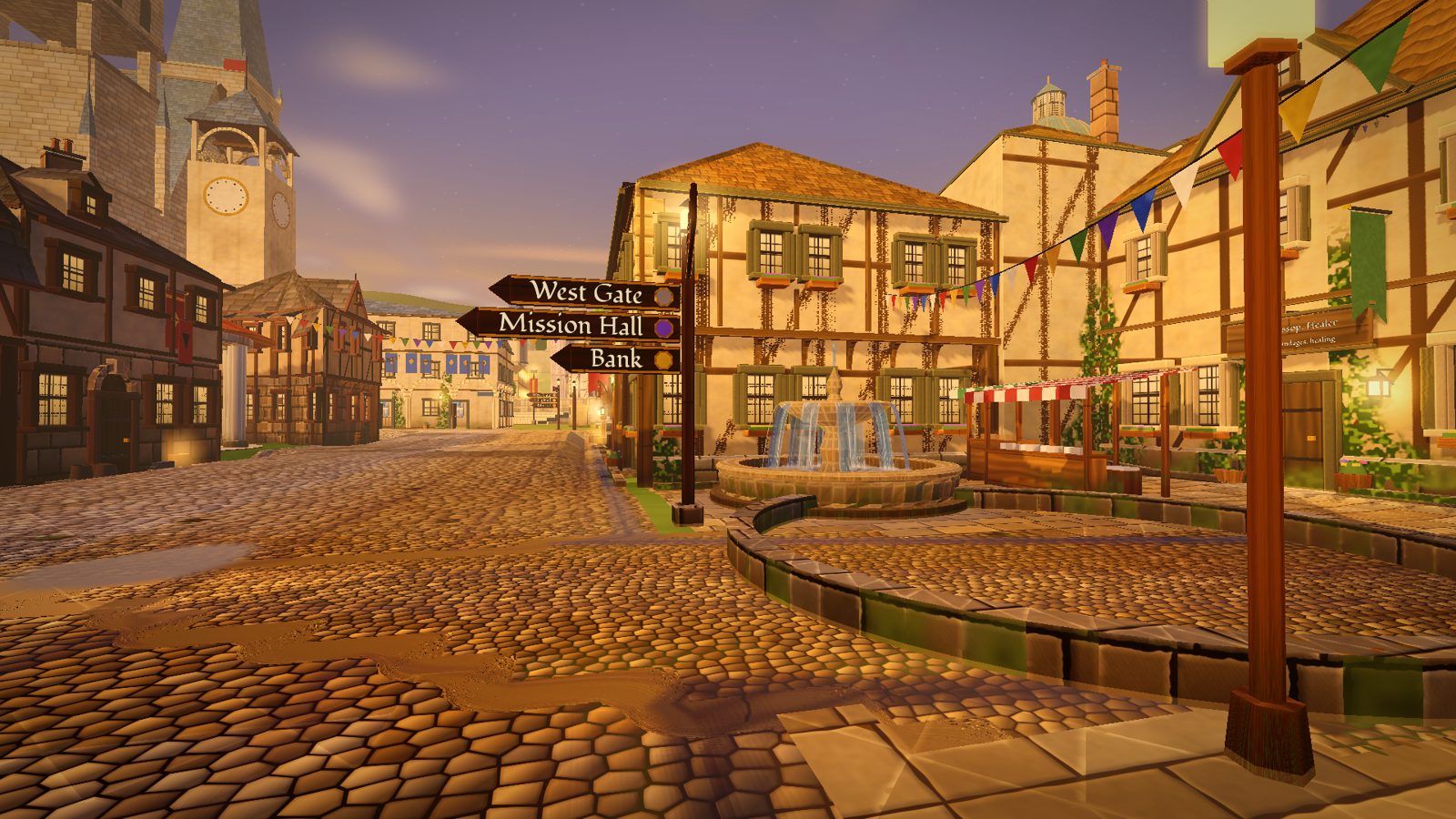
King's Way at dusk: a wayfinding signpost to West Gate, Mission Hall and Bank, a fountain, bunting and the clock tower
King's Way at dusk, signposts to the Bank and Mission Hall.
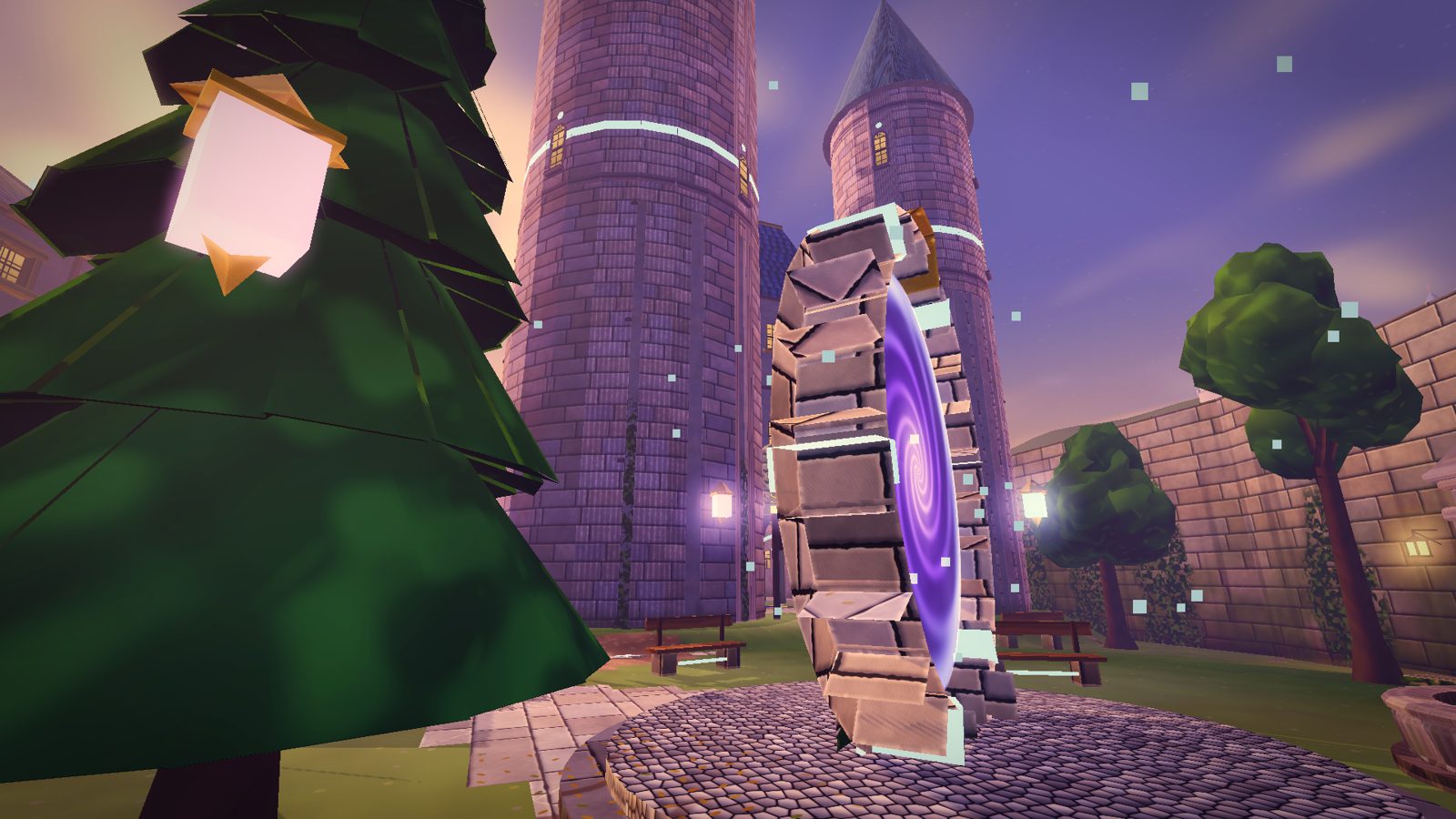
The Mages' Portal Court at dusk: a swirling violet portal in a stone frame, a round tower with a glowing ring, lanterns floating in the trees
The Mages' Portal Court at dusk.
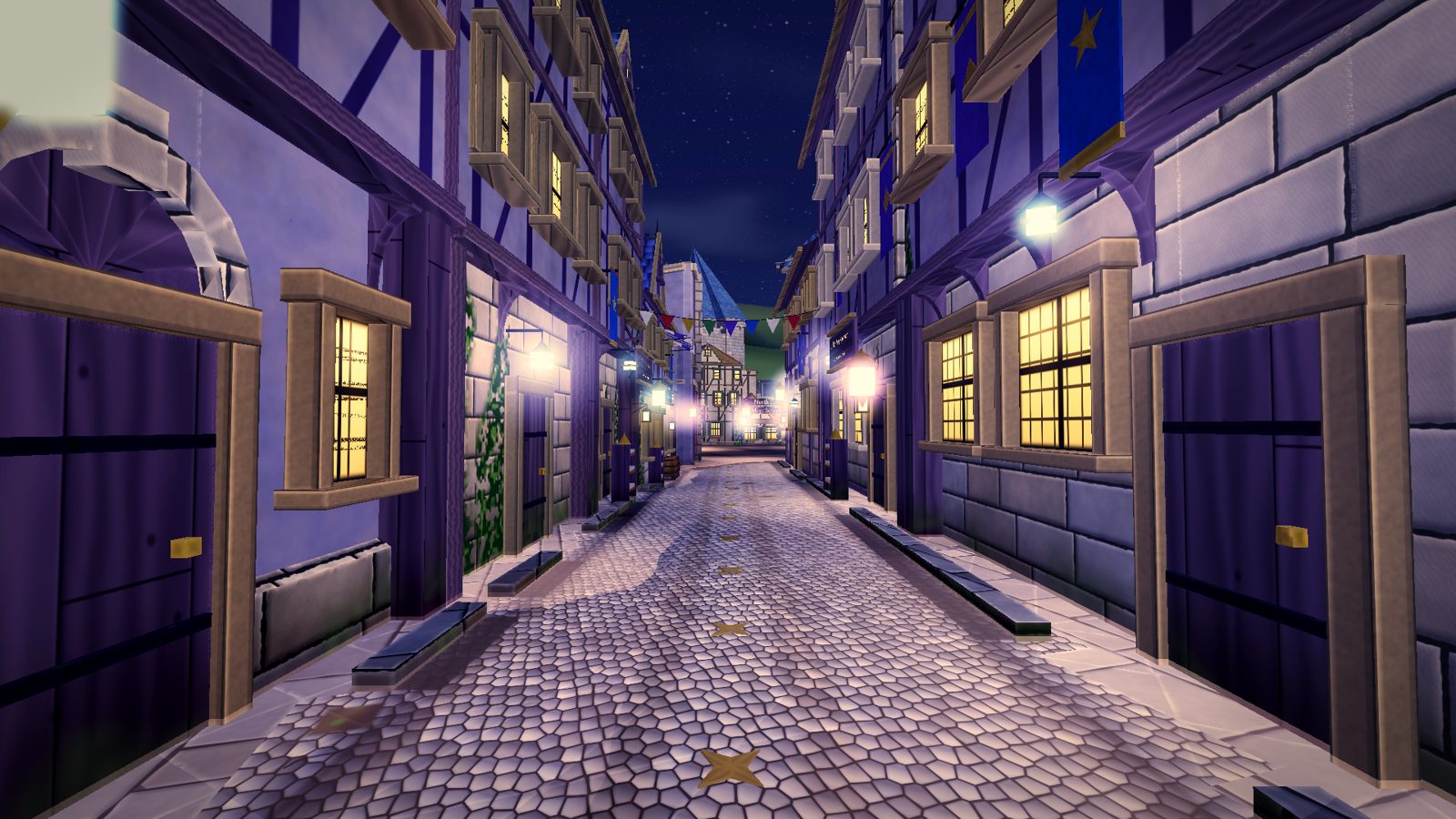
Lantern Lane in the Mages' Quarter at night: pale stone houses, violet banners, glowing lanterns over the cobbles
Lantern Lane, Mages' Quarter, at night.
Making worlds

Describe a world to your agent. It builds it.

iamar never runs a world-building agent for you. It publishes a kit of instructions, tools and examples that any agent can follow, and you bring your own: Claude, Codex, whichever you already use. iamar city was built this way.

The kit also fits a classroom: a student and their agent can build a world in an afternoon, and the teacher can walk through every one of them.

Weave your own world or point your agent at iamar.ai/docs/.

  1. Play iamar city's quests

    They teach the controls, the address bar, and how worlds are made and shared.

  2. Unlock world creation

    At a milestone, iamar hands you a scoped key for your agent: bounded to one world, a few operations, and a lifetime. You can revoke it any time.

  3. Tell your agent what you want

    It follows the kit: builds, validates, previews and signs a world package. Its behaviour is written in TypeScript and runs in a sandbox that sees only the world API.

  4. Host it from your own computer

    Like running a web site from home. The agent registers the world automatically and you get a shareable address, such as iamar://k7x2…, that anyone can type.

  5. Visitors arrive

    They connect to you directly, fetch the pieces from you and from each other, and stand in the world you described.

World creators

Every world is a star. Here is how to weave one.

Talk to your AI agent and it builds the world for you; host it, and it appears in iamar for everyone to visit. A world is data (terrain, buildings, lights, people) plus an optional script for everything that moves, reacts or keeps score. Scripts are ordinary TypeScript: every call is iamar.something(...), and each visitor runs their own copy in a sandbox that can touch only the world.

World API 0.3 gives a script chickens and crates, lights, fire and rain, floating labels, its own meshes, physics you can push, trigger zones, the camera, keys, buttons and text on screen, saved data, and messages between everyone in the world.

Scripting in TypeScript is new. Found a problem? Press F4 in iamar to report it.

// world.ts: a chicken next to every visitor, and a greeting
function on_init(): void {
  iamar.log("welcome world started");
}

function on_enter(player: number): void {
  const p = iamar.player_pos(player);
  if (p === null) return;
  const x = p[0] + 2, z = p[2];
  const hen = iamar.entity_spawn("chicken", x, iamar.ground_y(x, z), z, 0);
  if (hen > 0) iamar.entity_set_grounded(hen, true);
  iamar.ui_note(`Welcome, ${iamar.player_name(player) ?? "traveller"}!`);
}